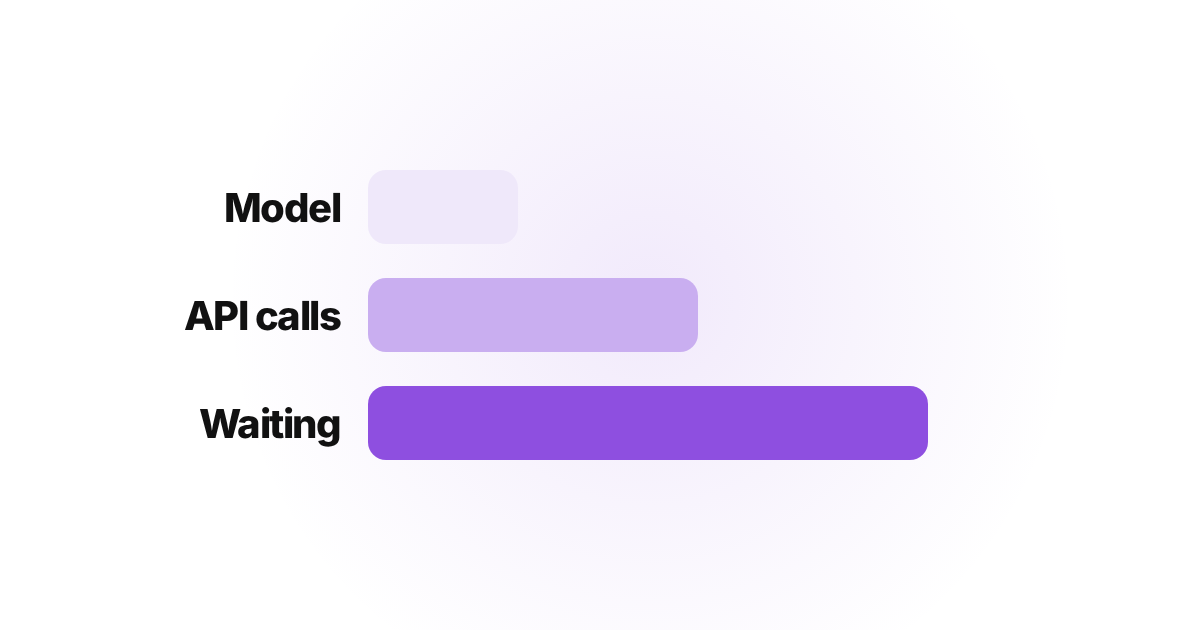
Most agent workflows are not slow because the model is slow. They are slow because every step waits politely for the one before it.
We have run outbound for more than 200 clients and booked over 300,000 qualified meetings.
The automation underneath that is not one workflow, it is enrichment pipelines, reply classification, deliverability checks and reporting running continuously across every client account.
All of it has deadlines. A single client fleet can run about 40 domains and 176 mailboxes.
At our sending unit of 15 new prospects a day per mailbox, that is more than 2,600 prospects entering sequences every day.
Each one triggers enrichment, validation and classification calls before a human sees anything.
At that volume, a workflow that takes 40 seconds instead of 10 is not an inconvenience. It is a backlog.
n8n published a solid breakdown of this, covering model routing, caching, parallel execution and timeout budgets. Worth reading: their guide to reducing AI workflow latency.
Here is the same problem from inside a production stack.
The model is rarely the slow part
When a workflow runs slowly, the instinct is to blame the model. Across our client stacks that is almost never where the time went.
Take a research pipeline that pulls from dozens of sources and scores every item before anyone reads it. The scoring is the cheap part.
Fetching feeds, mailboxes and CRM records is what eats the clock, and it scales with the number of accounts, not the number of models.
Before optimizing anything, read the execution history and find out which layer is slow: model inference, external calls, or the waiting between steps.
Fixing the wrong layer feels productive and changes nothing.
Calls that do not depend on each other should not queue
This is the largest win available in most client workflows, and it costs nothing but attention.
Enrich a lead from three providers one after another and you pay for all three. Fire them together and you pay for the slowest one.
Same data, a third of the wait.
We run scoring and enrichment in parallel batches rather than looping through records one at a time.
On a list of a few thousand prospects that is the difference between minutes and most of an afternoon.
Nothing clever, just refusing to queue work that has no reason to be queued.
One dead call can take the whole queue down
One of our scheduled research jobs once tried to authenticate against Google, DNS did not resolve, and the run exited in seconds with zero items.
Exiting fast was correct. The gap was that nothing announced it. The job recorded itself as finished, the output simply never appeared, and the failure went unnoticed for days.
A hard timeout on every external call is half the work. The other half is failing loudly.
A silent success is more dangerous than a crash, because a crash gets investigated.
The same logic applies to locks. Jobs that write to shared client data hold a lock so two runs cannot collide, and treat it as stale after 20 minutes.
Without that, one crashed run quietly blocks every run behind it.
Decide the budget before you build the workflow
A latency budget is simply deciding, up front, how long a workflow is allowed to take.
- Interactive, someone is waiting on screen: under a second, or it feels broken.
- Batch, someone reads the output shortly after: 5 to 20 seconds is fine.
- Background, nobody is waiting: 30 seconds or more costs nothing.
The number matters less than the question it forces. Does this step need to block the workflow, or can it run in the background and report back.
Most of the delay we remove across client accounts comes from answering that honestly.
What we changed across the stack
Four things, in the order they paid off. Independent calls run together. Every external call carries a hard timeout instead of an optimistic default.
Anything repeated across runs gets cached, because a domain reputation lookup does not change hourly.
And every job has to speak when it fails, not only when it succeeds.
None of this required bigger infrastructure. It required assuming every external system will hang one day, and building as though it already has.
That assumption sits underneath our automation engineering work, where each step carries a budget and a failure path before it ever touches a client's data.
The Questions We Get Asked
What is a reasonable latency target for a background automation?
Thirty seconds or more end to end is fine for nightly syncs and research jobs, because nobody watches them run.
Spend the effort on workflows a person is sitting in front of, where every second is visible.
Does caching actually help in agent workflows?
It helps when the same lookup repeats across runs, such as a domain reputation check or a company record you already enriched.
It does little for one-off calls tied to a single prospect, where there is nothing to reuse.
How do I know whether latency is even my problem?
Read the execution history before changing anything. If most of the runtime sits in one slow tool call, switching to a faster model will not help.
Identify the layer first, then fix that layer.