Most of the automation behind our outbound campaigns runs on Claude. It checks enrichment before a list goes out, classifies inbound replies, scores deliverability signals and assembles the weekly client reporting, continuously rather than when someone remembers to ask.
One client's reply watcher alone has worked through roughly 7,800 inbound messages across 19 mailboxes and 45 campaigns, deciding for each one whether it is a real opportunity, a referral, an auto-reply or a hard no.
None of that is worth much if Claude cannot reach the systems holding the data, and this is where Claude's own vocabulary gets in the way.
Skills, connectors and plugins sit beside each other in the same settings menu, which makes them look like three flavours of one thing.
They are not, and assuming otherwise cost us a build cycle on that exact classifier. The logic was finished, the tagging rules were right, and nothing at all was happening inside the CRM.
This post covers what each of the three layers actually does, where that build went wrong, and the question we ask now before wiring Claude into a new tool.
Access, procedure and distribution are three different problems
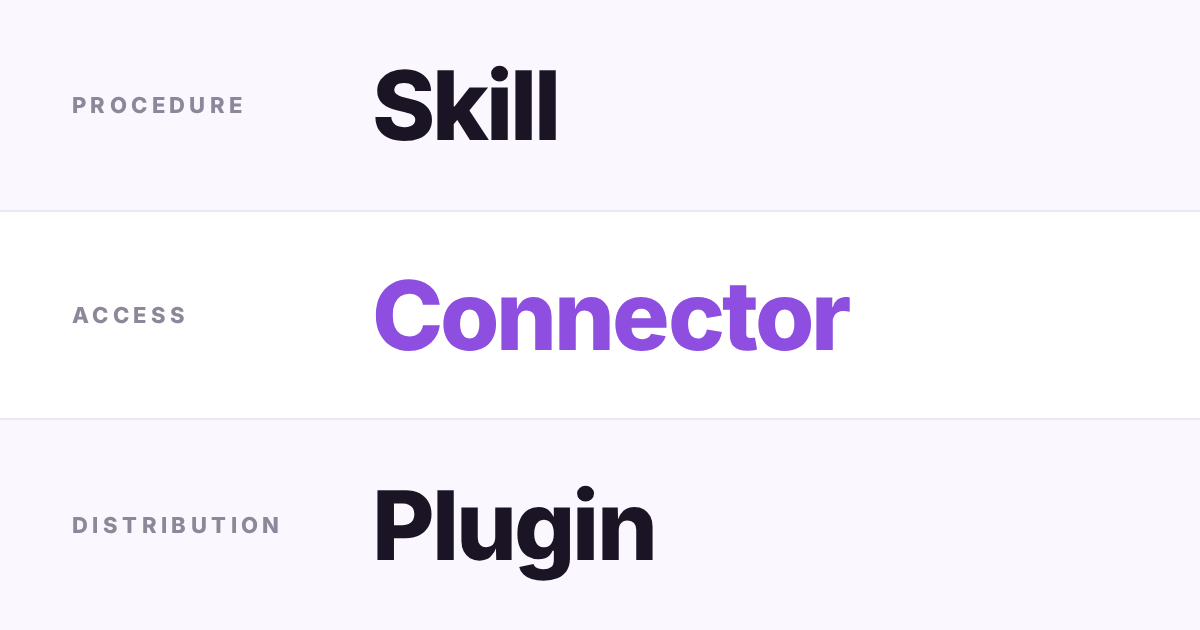
An MCP connector is access. It is a live link between Claude and an outside service such as a CRM or a DNS provider, running inside whatever permissions that service already enforces, so it grants reach rather than authority.
A skill is procedure. It is a written instruction set Claude loads when a request matches, telling the model how to classify a reply or lay out a report. It cannot touch a live system on its own.
A plugin is distribution. It bundles skills and connectors into one installable package, so a team adopts a whole working setup at once instead of assembling it piece by piece on every machine.
The classifier had judgment and no door
We built the classification layer first, because that felt like the hard part. It sorted each inbound reply into a positive, a referral, an out-of-office or a no, and in testing it was good at the job.
The trouble appeared when that verdict was supposed to land on the contact record. Claude knew what each reply meant and had nowhere to put it. A procedure for updating a CRM is not a path into one.
From the outside the run looked healthy. Logs filled up, the classifications were correct, and the CRM sat there unchanged.
Access turned out to be its own piece of work
Giving the classifier somewhere to write meant building that access layer deliberately: authenticated calls into the CRM, field mapping, and the small conventions deciding which property gets set when a reply is a referral rather than a positive.
That is the job an MCP connector is meant to do for you. It is the same access problem, packaged, so Claude reads and writes through the service's own permission model instead of through code you maintain yourself.
Keeping the two layers apart is what makes the work reusable. The classification logic has barely changed since we wrote it, while the access side has been rebuilt more than once as the destination system changed.
Teams wiring an AI layer onto CRM architecture and hygiene work tend to hit this gap in the same order we did, with the thinking ready long before anything can act on it.
Plugins matter once the setup leaves your hands
A single operator can live with skills and connectors added one at a time, which is roughly where we are. Everything is installed deliberately, by one person, with a known reason.
The argument for plugins starts when a setup has to be handed to someone else or stood up again on another account.
Packaging a skill with its connector removes the step where two accounts quietly end up running slightly different versions of the same logic.
That is a consistency argument rather than a capability one, and it is worth understanding before you have five accounts and no package.
The question we ask before building
Before connecting Claude to a new tool we ask whether the task needs the model to reach outside itself, or only to think in a particular way about data it already has.
- Reading or writing in a CRM, a DNS provider or an automation tool: start with a connector.
- Following a consistent process, format or checklist: start with a skill.
- Handing a working setup to a team or repeating it across accounts: package both into a plugin.
Getting that order backwards is what cost us the cycle on the classifier, and it is an easy mistake, because the procedure is the part that feels like the real work.
The Questions We Get Asked
Can a Claude skill connect to an outside tool by itself?
No. A skill is a set of written instructions Claude follows when a task matches it, and it has no route to a live service.
Reaching a CRM, a calendar or a DNS provider needs a connector running alongside the skill.
Do I need a plugin if I only run one Claude workflow?
Probably not. A plugin earns its keep once a setup has to be shared across people or accounts without being rebuilt each time.
For a single workflow, a skill paired with the right connector is enough.
What is the most common mistake with these three layers?
Expecting a well-written skill to act on outside data with no access layer attached.
We built a reply classifier that sorted messages correctly for a full cycle while leaving the CRM untouched, because nothing had given it a way in.